
Your smart homeopathy app
QUICK – RELIABLE – EXCELLENT RESULTS
Instead of spending hours leafing through books or relying on shady websites, Similia gives you verified, clear information – fast, reliable and in the middle of the night.
- Clear explanation – for beginners & professionals
- Always available – 24/7
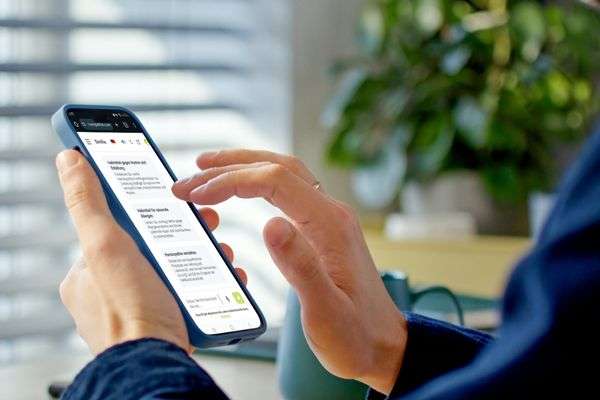
What is SIMILIA?
Similia is not an ordinary app.
She is your digital colleague, your instant homeopathic helper, and your source of knowledge – developed by experienced homeopaths using state-of-the-art AI technology.
Whether it’s acute diseases or general questions about homeopathy – Similia is by your side.

8 benefits of Similia

Excellent results
All homeopathic sources reviewed by our experts.

For beginners & professionals
Dialogue mode, complete cases, or differentiation of remedies.

Voice mode
You speak, Similia responds. In voice mode, your hands are free.

Save your chats
You can edit and export each chat individually.

Data security made in Switzerland
Swiss servers send only anonymized data to the AI. Everything is encrypted. Similia is 100% GDPR-compliant.

Continuously expanding
Similia is constantly being updated. New modules are already in development.

Genuine information
We train Similia exclusively with carefully selected data, ensuring highly reliable answers – unlike normal AI.

Always available
Similia is there for you 24/7, 365 days a year. On your smartphone, laptop, or tablet – no installation required.
Similia is your digital homeopathy expert!
She answers all your questions about homeopathy and health.
Available for you 24/7, 365 days a year.

Your smart homeopathy app
Quick – Reliable – Excellent results
Your homeopathy-
expert for all your questions
The future of homeopathy

- Homeopathic support anytime, anywhere
- Our innovative web app is by your side 24 hours, 365 days providing valuable information on your journey to better health.
- Behind our technology stands a team of experienced homeopathy experts from around the world. More than 200 years of combined experience flow into this digital expert.
- Thanks to modern artificial intelligence, it’s possible to access an enormous knowledge base – far beyond what any single practitioner could encompass.
Try Similia free for 2 weeks
Put Similia to the test – handle real cases or simply let it inspire you.
Give it a try and see for yourself!
No need to cancel – the trial-phase ends automatically - no credit card needed for the trial.
Similia is web-based, which means no installation is required.
You can start right away.
After the trial period, you can subscribe to Similia for the monthly price of a cup of oat-milk latte.
We also have yearly subscriptions and the possibility to upgrade anytime.
Testimonials
Frequently asked questions
I can’t register or log in
If you see a red error message during registration saying:
Access restricted – until July 16, only congress package and premium bundle users have access or an error stating that the trial period has expired, please check the following:
Since August 15, 2025, Similia has been accessible to everyone. If the message still appears, you’ll need to clear your browser cache:
- Chrome (Desktop):
Click the three dots in the top right → More tools → Clear browsing data.
Select a time range (e.g. All time).
Check Cached images and files (and other data if needed) → Clear data. - Safari (Mac):
Menu Safari → Settings → Advanced.
Activate Show Develop menu in menu bar.
Then go to Develop → Empty caches. - Firefox (Desktop):
Click the three lines in the top right → Settings.
Go to Privacy & Security.
Under Cookies and Site Data → Clear Data… → Select Cache → Clear
On mobile devices:
Android (Chrome):
Open the Chrome app.
Tap the three dots (⋮) in the top right.
Go to History → Clear browsing data…
Select a time range, e.g. All time.
Check Cached images and files.
Tap Clear data.
iPhone (Safari):
Apple unfortunately doesn’t allow clearing only the cache – cookies and history are deleted together.
Open Settings.
Scroll down to Safari.
Tap Clear History and Website Data.
Confirm.
I’m seeing gibberish text (random characters)
Many browsers have an automatic translation feature. You’ll need to turn it off.
Look for the small icon in the address bar that looks like a Japanese character.
Click on it and select “Never translate this site.”
Alternatively, click on the three dots in the top right corner and choose “Translate” from the menu – it should turn grey (disabled).
Everything is in German
Click on the German flag icon and select the English flag (or the flag of your preferred language, if available). During registration, the flag is at the bottom of the page, pls scroll down.
The system doesn’t accept my email address or says my password is wrong
It could be a typo, or you may have written down your password incorrectly during registration.
Click on “Forgot password” to set a new one (you can choose it yourself).
Some users try to register multiple times. Once you’ve registered, you only need to log in afterwards.
The login page is here:
👉 https://similia.dimensions-homoeopathie.com/login
My trial period has ended – how can I start a subscription?
Click on the blue “Manage subscription” button in your Similia user area.
You’ll then be redirected to select one of the available subscription plans.
If you choose the annual plan, you’ll get two months free – every year!
Here you can find a step-by-step guide on how to subscribe.
I’ve run out of credits – how can I get more?
Click on “Manage subscription” and choose a plan that better fits your usage.
Or click on “Buy credits” to top up your balance once.
Your subscription will then continue as usual.
How can I download my invoices?
Go to “Manage subscription.”
Scroll down to the invoice history.
Open the desired invoice and download it.
How can I change my subscription plan?
Click on “Manage subscription” and select “Update plan.”
Choose your new preferred plan.
For monthly plans, the change takes effect immediately and will be charged together with your current plan, including credit activation.
For annual plans, the new plan will take effect and be billed after your current yearly subscription ends
How can I cancel my subscription?
In your user area, click on “Manage subscription” and select “Cancel subscription”.
You can cancel either at the end of the month or at the end of your annual plan.
After cancellation, your account will remain accessible for 30 days, including all chats.
After that, it will be automatically closed.
The message “Trial period has expired” appears
If your trial period has ended, you can start a subscription by clicking the blue “Upgrade” button on the left.
If you’ve already paid, there are two possible reasons:
- Your browser data needs to be cleared – see the first question above.
- Your subscription hasn’t been activated yet, as some payment methods don’t reach us immediately. Please try again after a few days.
It’s asking me too many questions
If you’ve already gathered all the symptoms, enter them all at once – then Similia will ask fewer or no questions.
If you’ve had enough of the questioning, simply say:
“Please give me one or more remedies now.”
Similia will then decide based on your current symptoms. However, the more precise and detailed your symptom description is, the better the remedy selection will be.
Which homeopathic remedies do I need, and where can I get them?
You can buy a home-prescriber remedy kit with around 60 remedies.
Ask your homeopathic pharmacy. In some countries even homeopathic doctors offer such remedy kits.
My question isn’t listed
If these answers don’t help, please contact our support team:
📧 similia@dimensions-homoeopathie.com
Häufige Fragen
Ich kann mich nicht registrieren oder einloggen
Wenn beim Registrieren eine rote Fehlermeldung kommt: Zugriff beschränkt, bis zum 16. Juli haben nur Kongresspaketinhaber und Premium Bundle Nutzer Zugriff –
oder eine Fehlermeldung, dass die Testphase abgelaufen ist –
dann kannst Du folgende Punkte überprüfen:
Seit dem 15.08.25 ist Similia für alle zugänglich. Wenn diese Meldung immer noch erscheint, musst Du bitte den Cache (die Daten) Deines Browsers löschen:
1. Chrome (Desktop):
Rechts oben auf die drei Punkte klicken → „Weitere Tools“ → „Browserdaten löschen“.
Zeitraum auswählen (z.B. „Gesamte Zeit“).
„Bilder und Dateien im Cache“ (und ggf. andere Daten) auswählen → „Daten löschen“ klicken.
2. Safari (Mac):
Safari-Menü → „Einstellungen“ → „Erweitert“.
„Menü ‚Entwickler‘ in der Menüleiste anzeigen“ aktivieren.
Im Menü „Entwickler“ → „Cache-Speicher leeren“ klicken.
3. Firefox (Desktop):
Rechts oben auf die drei Striche klicken → „Einstellungen“.
„Datenschutz & Sicherheit“ auswählen.
Unter „Cookies und Website-Daten“ → „Daten entfernen…“ → „Cache“ auswählen → „Leeren“ klicken.
Im Handy geht das so:
Android Handys
Chrome-App öffnen.
Oben rechts auf die drei Punkte (⋮) tippen.
Verlauf > „Browserdaten löschen…“
Zeitraum auswählen, z. B. „Gesamte Zeit“.
Nur „Bilder und Dateien im Cache“ anhaken.
Auf „Daten löschen“ tippen.
iPhoneSafari (Cache einzeln löschen geht nicht)
Apple erlaubt leider nicht, nur den Cache zu löschen – Cookies und Verlauf werden dabei immer mitgelöscht:
Einstellungen öffnen.
Nach unten zu Safari scrollen.
Auf „Verlauf und Websitedaten löschen“ tippen.
Bestätigen.
Bei mir erscheint Buchstabensalat
In vielen Browsern gibt es eine automatische Übersetzungsfunktion. Die musst Du ausschalten. Das geht über das kleine Icon in der Adressleiste, das wie ein japanisches Schriftzeichen aussieht. Da klickst Du drauf und wählst: Diese Seite nie übersetzen.
Oder Du klickst auf die drei Punkte oben rechts und wählst aus dem Menü Übersetzen (es sollte grau werden).
Alles ist Englisch
Klicke auf das Symbol mit der englischen Flagge und wähle die deutsche Flagge (oder die Deiner Sprache, wenn vorhanden).
Das System nimmt meine E-Mail Adresse nicht oder das Passwort ist immer falsch
Vermutlich ist es ein Tippfehler oder Du hast Dein Passwort bei der Registrierung falsch aufgeschrieben. Wenn Du auf das Passwort vergessen klickst, kannst Du ein neues Passwort festlegen (das Du selbst wählst).
Manche Nutzer haben versucht, sich mehrfach zu registrieren. Wenn Du einmal registriert bist, musst Du Dich danach nur noch Anmelden. Der Link zur Anmeldeseite lautet: https://similia.dimensions-homoeopathie.com/login
Mein Testzeitraum ist zu Ende, wie kann ich ein Abo starten?
Klicke auf den blauen Button „Abonnement verwalten“ in Deinem Similia-Benutzerbereich.
Dann wirst Du zur Auswahl der verschiedenen Abos weitergeleitet. Wenn Du ein Jahresabo wählst, schenken wir Dir zwei Monate – jedes Jahr!
Ich habe keine Credits mehr - wie bekomme ich mehr?
Klicke auf „Abonnement verwalten“ und wähle ein Abo, das besser zu Deinem Verbrauch passt.
Oder klicke auf Credits kaufen und stocke Deine Credit einmal auf. Dein Abo läuft dann ganz normal weiter.
Wie kann ich meine Rechnungen herunterladen?
- Gehe zu „Abonnement verwalten“.
- Scrolle nach unten bis zur Rechnungshistorie.
- Öffne die gewünschte Rechnung und lade sie herunter.
Wie ändere ich meinen Abo-Plan?
Klicke auf „Abonnement verwalten“ und wähle “Abo aktualisieren”.
Wähle deinen neuen gewünschten Plan aus.
Bei Änderungen von monatlichen Plänen ist der neue Plan sofort wirksam und wird verbucht mit dem aktuellen Plan inkl. Freischaltung der Credits.
Bei Änderungen von jährlichen Plänen wird der neue Plan erst nach Beendigung des Jahres-Abos umgestellt und in Rechnung gestellt.
Wie kündige ich mein Abo?
Klicke im Benutzerbereich auf „Abonnement verwalten“ und wähle „Abonnement kündigen“.
Die Kündigung ist entweder zum Monatsende oder zum Ende Ihres Abo-Jahres möglich. Nach der Kündigung bleibt Ihr Konto noch 30 Tage lang mit allen Chats zugänglich. Danach wird es automatisch geschlossen.
Es kommt die Nachricht: "Testzeit ist abgelaufen"
Wenn Deine Testzeit abgelaufen ist, kannst Du links mit dem blauen Button „Upgrade“ ein Abo abschließen.
Solltest Du schon bezahlt haben, gibt es zwei Möglichkeiten:
1. Die Browserdaten müssen gelöscht werden – siehe erste Frage oben.
2. Das Abo ist noch nicht freigeschalten, weil SEPA Zahlungen nicht sofort bei uns ankommen. Bitte versuche es nach ein paar Tagen erneut.
Meine Frage ist nicht dabei
Wenn Du mit diesen Anworten nicht weiter kommst, melde Dich bitte beim Support: similia@dimensions-homoeopathie.com

Similia handbook for download

Similia is the perfect companion and source of information for everyday life: For example, during nighttime acute complaints, it helps bridge the gap until your homeopath is available again. Similia raises awareness of potential health risks and reminds users to seek medical examination or treatment from doctors or hospitals when necessary. Similia cannot provide diagnoses and does not replace a doctor or alternative practitioner. It does not offer medical advice but provides information about homeopathic remedies and their corresponding symptoms. In this way, the app promotes a responsible and reasonable use of homeopathy. We all know: homeopathy has its possibilities — and its limits.
Disclaimer – Important information:
Our digital AI information platform is intended for homeopaths as a support tool in their practice. It does not replace medical or therapeutic treatment. It serves exclusively for general informational purposes and cannot provide individual diagnoses or recommend specific remedies. The app does not offer medical advice and only provides general information based on historical context. We assume no liability for any health-related decisions made on the basis of information provided by the app. Always consult a doctor or alternative practitioner if you have health concerns. The app is primarily intended for users residing in Switzerland. Users from other countries use the app at their own risk and are responsible for informing themselves about the legal regulations applicable to them. The provider makes no guarantee that the app may be operated or used in compliance with the law outside Switzerland.